
Toronto-built · modular customer operations

One customer system across your website, phone and team.

Start with a CAD 500 Website, a focused Lead CRM from CAD 500, or a Chat + Voice AI Front Desk for a fixed CAD 500 one time. Every product has a written scope before an invoice is issued.

No checkout · invoice and Interac e-Transfer after scope acceptance

One shared customer context

Website chat

Answers approved questions and collects a request.

Inbound voice

Consent-first context collection on one phone number.

Owner email or CRM summary

Customer need, contact details, routing context, and the next human step.

ProgressorAI Business Workspace

Your customer operations, in one private workspace.

A separate customer SaaS for your team — AI CRM, AI Concierge, inquiries, follow-up, agent settings, team access, and website installation code. Your workspace is isolated from ProgressorAI’s internal CRM.

Owner dashboard

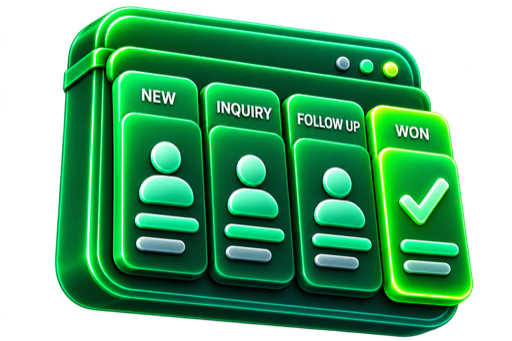
See inquiries, pipeline, and next actions.

AI Concierge controls

Manage approved knowledge, prompt, and routing.

Website installation

Copy the tenant-specific widget code to your site.

Private team access

Invite staff into only your business workspace.

Business Workspace

Northline Home Services

Private tenant

4

New inquiries

7

Open pipeline

2

AI review

Live customer flow

New website inquiry

Kitchen renovation · Etobicoke

New

Qualified by AI Concierge

Basement project · Site visit requested

Ready

Owner follow-up

Estimate review · Friday 10:00 AM

Next

Product tour uses sample data. Customer workspaces require an approved setup and invitation.

Core services

Four services. One intelligent system.

From first touch to loyal customer—everything connected.

01
CAD 500 one time

Website

Yours forever — no recurring fees to us.

Your offer is hard to understand or inquiries arrive without enough context.
Get online and capture one clear customer action.

Key capabilities

  • Clear offer and customer action
  • Structured inquiry capture
  • Mobile-ready customer path
Read the full Website offer
02
CAD 500 one time

Lead CRM

Yours forever — no recurring fees to us.

Inquiries and follow-up are scattered across inboxes, notes, and memory.

Keep inquiries and follow-up in one visible pipeline.

Key capabilities

  • Unified lead pipeline
  • Source, stage and notes
  • Visible next action
Read the full Lead CRM offer
03
CAD 500 one time

AI Front Desk

Yours — you choose your operator and pay usage directly.

Website questions, chat, or inbound calls are missed when the team is busy.

Answer, qualify and route website chat and inbound calls.

Key capabilities

  • Website chat and inbound voice
  • Request qualification
  • Routing and owner handoff
Read the full AI Front Desk offer
04
CAD 500 one time

SEO

Yours forever — no recurring fees to us.

A strong site that nobody finds brings no inquiries.

Get found: professional technical, content and local SEO.

Key capabilities

  • Technical audit and fixes
  • Content and local search setup
  • Measurement and growth path
Read the full SEO offer

Every core service is a fixed one-time CAD 500 build with no recurring fees to ProgressorAI. .

Stronger together

Choose any two eligible services and keep the customer path visible across one setup.

See the full card page

Written scope first

  1. 1
  2. 2
  3. 3

Step 1 of 3: Confirm path

Choose your path

What should we prepare for you?

Start with a service, request a focused audit, or let us recommend the first step.

Request summary

No path selected yet

Choose a starting path, ask us to recommend one, or request a focused website audit.

Orion live reference

See the customer path working on a real Toronto-area site.

Orion Renovation demonstrates the website path, estimate flow, concierge launcher, qualification, booking-request routing, and owner handoff.

Orion demonstrates the workflow. Visual design, content, integrations, and project scope depend on each business and are not represented by the CAD 500 Website base.

Open Orion
01

Website path

A local offer and clear service-area context.

02

Estimate flow

A customer can move from question to project request.

03

AI Front Desk

Approved questions, qualification, and request routing.

04

Owner handoff

Useful customer context is prepared for human follow-up.

Connected customer flow

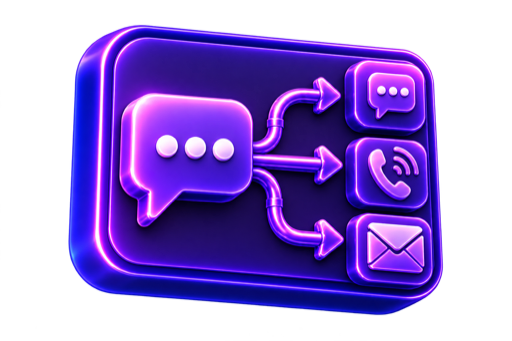
Chat and inbound Voice are two doors into one concierge.

Both channels use the same approved business knowledge and prepare the same kind of owner-ready context. They are not separate products.

Website chat

Answers, qualifies, collects contact details, and forms a booking request.

Inbound Voice

Uses consent-first collection. No outbound calls, callbacks, or live transfer in the base.

Shared Front Desk knowledge

Answer approved questions
Qualify the request
Collect contact details
Create booking request
Route the next step
Keep unified context

Confirmed calendar booking and production French configuration require approved integrations and knowledge testing.

One owner handoff

  • Customer and contact
  • Service or question
  • Location and urgency
  • Requested next step
  • Email or CRM summary

Business use-case explorer

Choose the workflow closest to your business.

These are workflow examples, not claims that our product is limited to 20 industries. Select one to prefill your setup plan.

Renovation

Project question → scope details → estimate request → owner summary

A renovation request arrives with service area, project type, timing, and contact context.

WebsiteManaged AI Front DeskLead CRM Starter

Quick fit check — Renovation

HVAC

Inbound call/chat → service and urgency → request routing → summary

The owner sees what system needs service, where, and how urgent the request is.

Managed AI Front DeskLead CRM Starter

Quick fit check — HVAC

Dental

Administrative question → appointment request → front-desk handoff

The front desk receives a request and contact context without medical advice.

WebsiteManaged AI Front DeskLead CRM Starter

Quick fit check — Dental

Restaurant

Hours/menu/event question → reservation or event request → team handoff

Routine questions and reservation requests stay available during busy service.

WebsiteManaged AI Front Desk

Quick fit check — Restaurant

Accounting

Client type → service need → fit/routing → follow-up record

New-client inquiries are separated by service need and readiness.

WebsiteLead CRM StarterManaged AI Front Desk

Quick fit check — Accounting

Real estate

Buy/sell/rent intent → area/timing → agent routing → CRM summary

The assigned agent receives intent, location, timing, and contact context.

Managed AI Front DeskLead CRM Starter

Quick fit check — Real estate

NDA workflow proof

Protected names. Concrete implementation patterns.

These cases show what was configured and how the owner workflow changed. We do not publish a metric or testimonial unless its evidence and measurement period are cleared.

Bella Trattoria

Toronto, ON · Restaurant

Name changed · details protected under NDA

Implementation

An approved question flow, reservation-request path, and staff handoff were configured for busy service periods.

Qualitative outcome

Routine questions and reservation requests could enter one visible staff follow-up path.

Review this workflow with us

Maple Ridge Dental

Vancouver, BC · Clinic

Name changed · details protected under NDA

Implementation

Administrative intake, appointment-request routing, and front-desk summaries were connected without automating clinical advice.

Qualitative outcome

The front desk received more complete administrative context before responding.

Review this workflow with us

Northgate HVAC

Austin, TX · Home services

Name changed · details protected under NDA

Implementation

The lead path was changed to collect service type, location, urgency, and a reachable contact before owner follow-up.

Qualitative outcome

The owner could distinguish actionable service requests from incomplete inquiries.

Review this workflow with us

Continue when the first step works

One clear starting offer. A wider system when the evidence supports it.

ProgressorAI can remain the operating partner after the first implementation. We measure what is happening, recommend the next constraint to fix, and expand only after you approve a separate written scope.

Explore SiteLedger

SEO, analytics review, campaign management, and SiteLedger are not silently bundled into a starter product. Deliverables, access, media spend, and review cadence are confirmed in writing.

  1. 01

    Connect the first customer path

    Start with the Website, Lead CRM, or AI Front Desk bottleneck that is easiest to verify.

    One agreed problem · one written scope · one accountable next step

  2. 02

    Measure search and conversion

    Establish an SEO and analytics baseline, then review search visibility, landing behaviour, and lead quality.

    Technical SEO · GA4 events · attribution · conversion review

  3. 03

    Improve qualified demand

    Use the evidence to prioritize local SEO, useful content, campaign landing pages, and paid promotion.

    Local search · content · Google Ads · Meta campaigns

  4. 04

    Extend into field delivery

    When a won lead becomes active work, SiteLedger can continue the record through field evidence, revisions, and supervisor review.

    Project records · evidence · approvals · controlled exports

FAQ

Product boundaries before the setup call.

Website

CRM

AI Concierge

SiteLedger & NFC

Prefer a live starting point?

Try the same Front Desk logic customers see.